Know where every item is — and what it really made
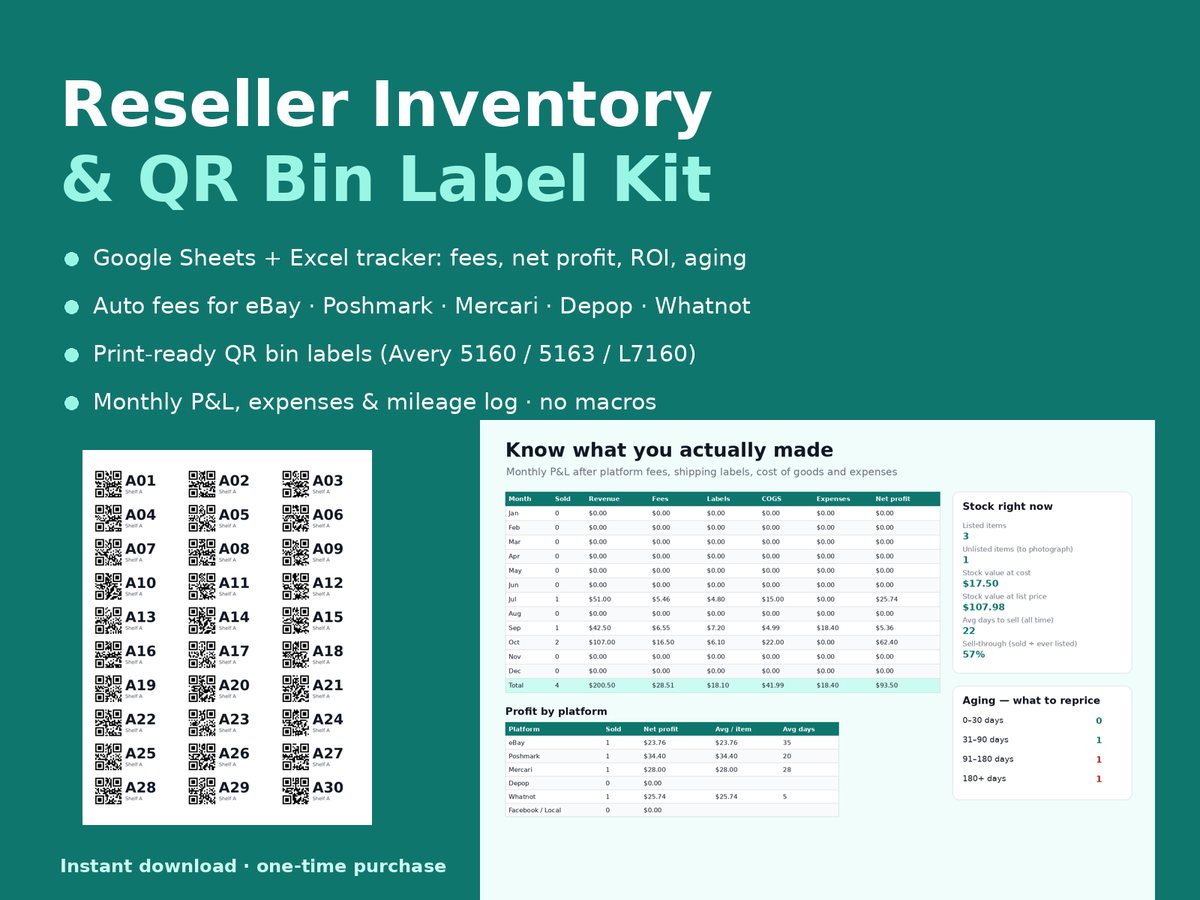
A reseller inventory spreadsheet for eBay, Poshmark, Mercari, Depop and Whatnot sellers. Log what you buy, where it's stored and what it sold for; the sheet works out platform fees, net profit, ROI and which listings are going stale. Print matching QR labels for your bins so packing day is scan-and-grab.
Download the free LITE tracker (.zip)
Free LITE version · .xlsx for Google Sheets / Excel + 30 QR bin labels · no email needed
Free LITE vs full kit
| What you get | LITE (free) | Full kit — $12 |
|---|---|---|
| Inventory rows with SKU, bin, cost, status | ✅ | ✅ |
| Automatic fees: eBay, Poshmark, Mercari, Depop, Whatnot + custom | ✅ | ✅ |
| Net profit, ROI, days to sell per item | ✅ | ✅ |
| Summary: items sold, profit, stock at cost, 90+ day items | ✅ | ✅ |
| QR bin labels A01–A30 (Avery 5160) | ✅ | ✅ |
| Monthly P&L dashboard (fees, labels, COGS, expenses) | — | ✅ |
| Aging report: 0–30 / 31–90 / 91–180 / 180+ days | — | ✅ |
| Profit by platform | — | ✅ |
| Bins tab with live item counts & stock value | — | ✅ |
| Expenses and mileage logs | — | ✅ |
| Label Export for any bin or SKU list | — | ✅ |
| QR bin labels: Avery 5160 (90), 5163 (20), A4 L7160 (42) | — | ✅ |
| Quick-start guide (bins, SKUs, daily routine) | — | ✅ |
Full kit: $12 one-time
One-time purchase, instant download, no subscription. Everything in LITE plus the dashboard, aging report, profit by platform, bins, expenses, mileage, label export, three print-ready QR label sheets and the quick-start guide.
Instant download, 14-day refund. Secure checkout by Payhip.
Also available
Need labels only? QR Bin Labels Pack, $5: print-ready PDFs for Avery 5160, 5163 and L7160.
Moving soon? Moving Box QR Labels + Inventory, $7: box labels plus a simple inventory sheet.
The full kit above stays $12 if you want inventory, fees, aging and labels together. All products: Lychee Templates on Payhip.
What it looks like
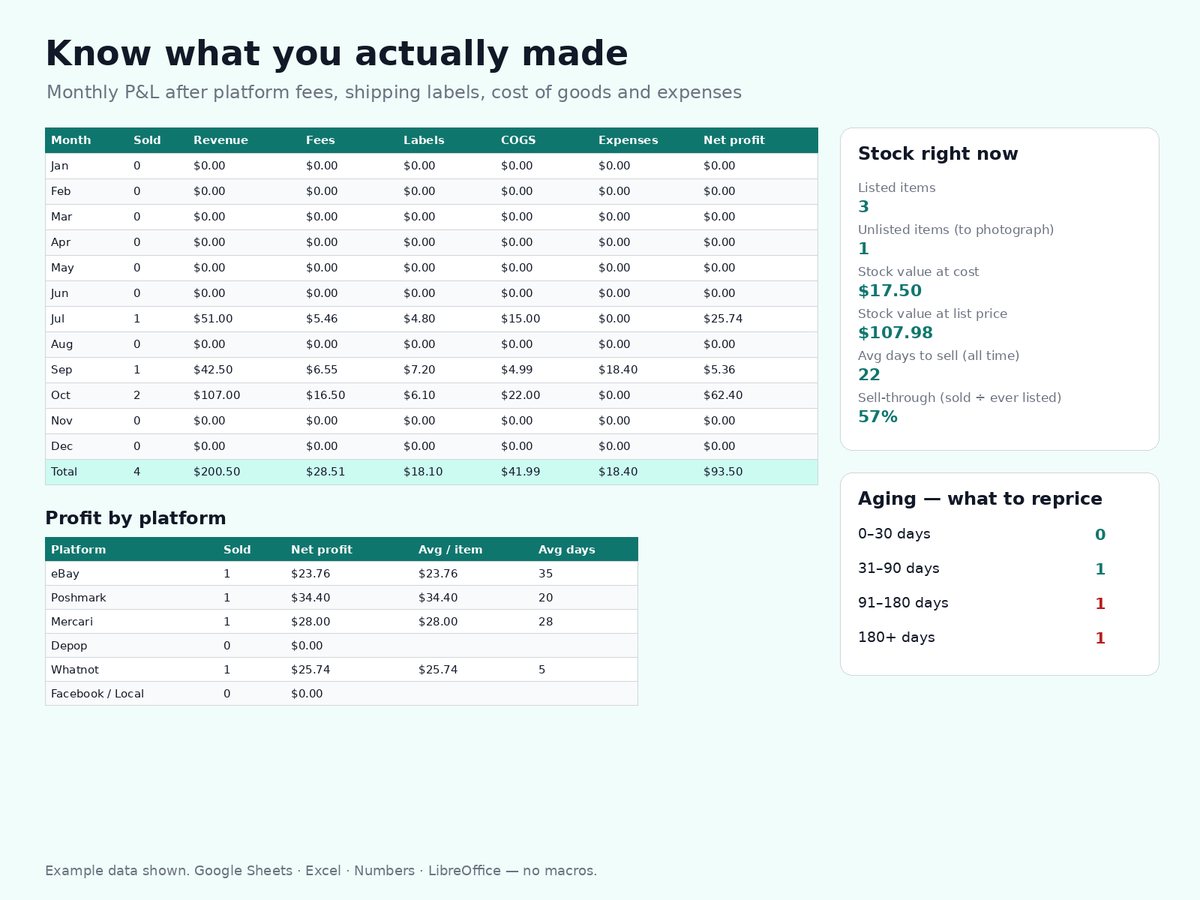
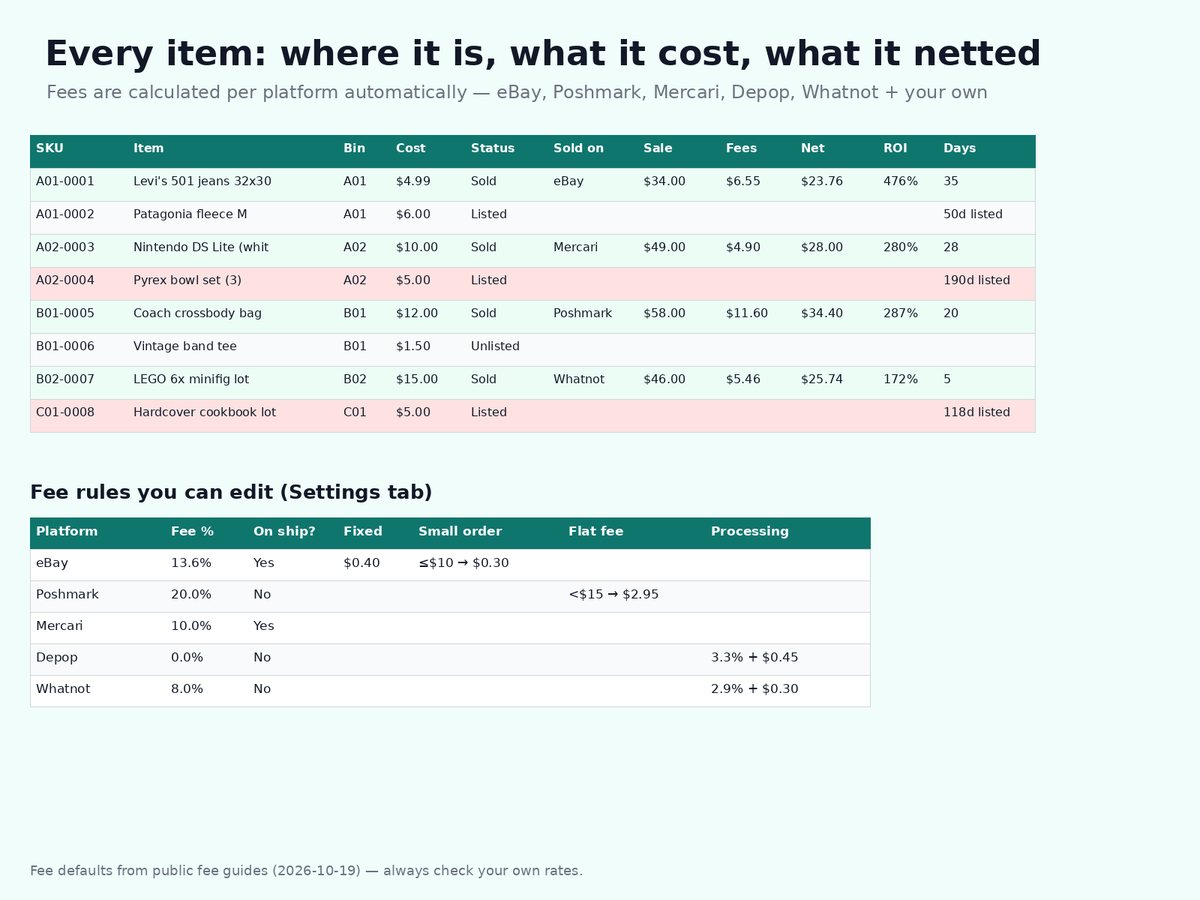
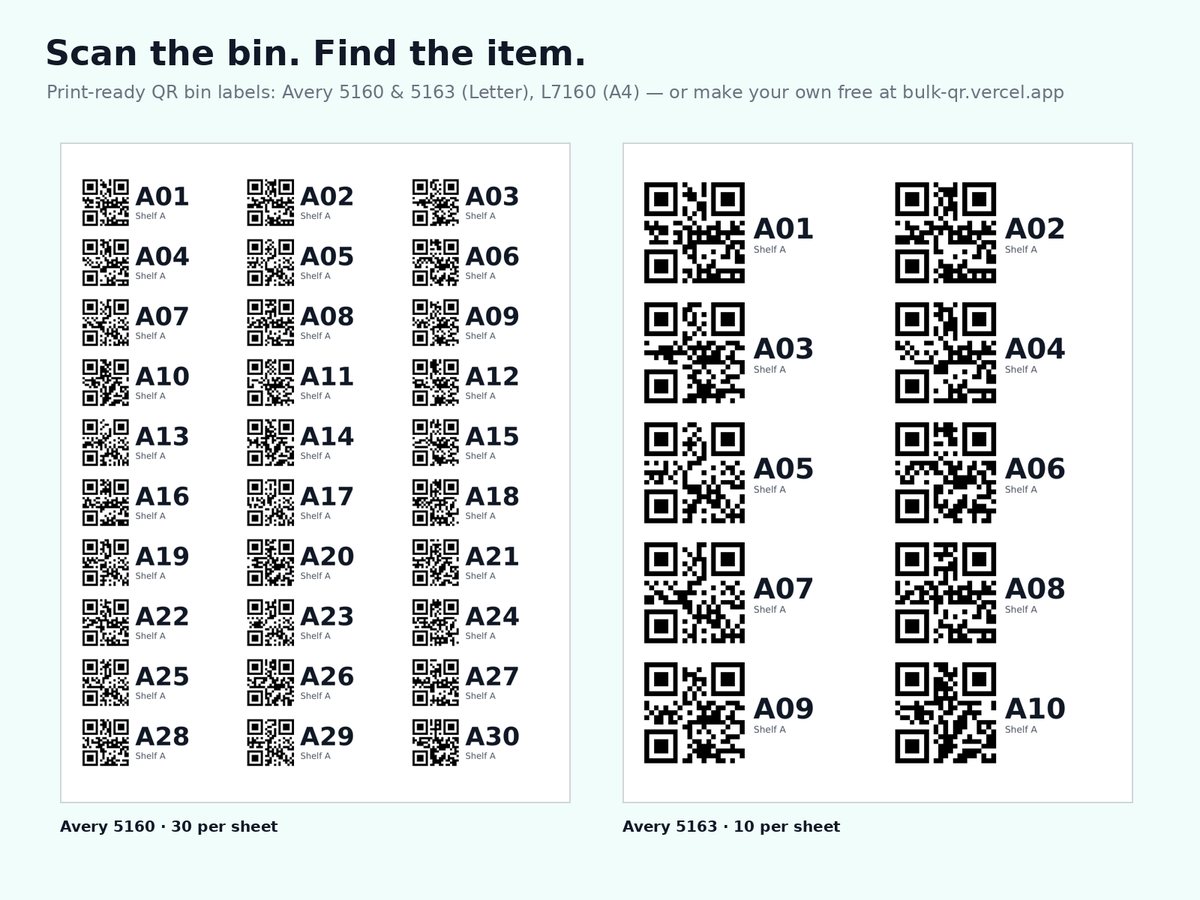
Screenshots show example data from the full kit.
How resellers use it
- Label each tote or shelf slot with a bin code (A01, A02 …) and stick a QR label on it.
- Give every item a SKU that starts with its bin, like
A01-0007, and put the same SKU in the listing's SKU / custom label field. - When it sells, set Status to Sold and enter the sale price, shipping and label cost. Fees and profit fill in.
- Once a week, check the items listed 90+ days and reprice, bundle or move them.
Just want to compare fees for one item? Use the free reseller fee calculator. Setting up from scratch? Read how to build a reseller inventory spreadsheet. Need your own QR codes for bins or SKUs? The bulk QR generator is free.
Questions
Google Sheets (upload the .xlsx and open it), Excel 2019 or Microsoft 365, Apple Numbers and LibreOffice. No macros or add-ons.
No. You enter each purchase and sale yourself (a few seconds per item); the sheet does the fee, profit and aging maths.
They are editable defaults for standard US sales, checked on 2026-10-19 from public fee guides. Platforms change fees and rates vary by category and country, so check your own rates and edit the Settings tab.
Click "Buy the kit, $12". Checkout is handled by Payhip (card or PayPal); we never see card details. You get an instant download, and refunds are honoured within 14 days.
No. The sheet summarises what you enter; check figures against your own records and with a professional.
Support: lleehh1022@gmail.com — we reply within 3 business days. See our Terms and Privacy Policy.